Compare Qalyptus to NPrinting
Qalyptus is fully integrated and at users’ service, with an intuitive interface and easy configuration.
Why prefer Qalyptus over NPrinting
Qalyptus is designed to prioritize the user, facilitating the creation and distribution of reports through an intuitive and flexible interface.
You can create reports with NPrinting or Qalyptus. But if you need a reliable and user-friendly tool with an ambitious roadmap, Qalyptus suits you.
Easily create your report templates
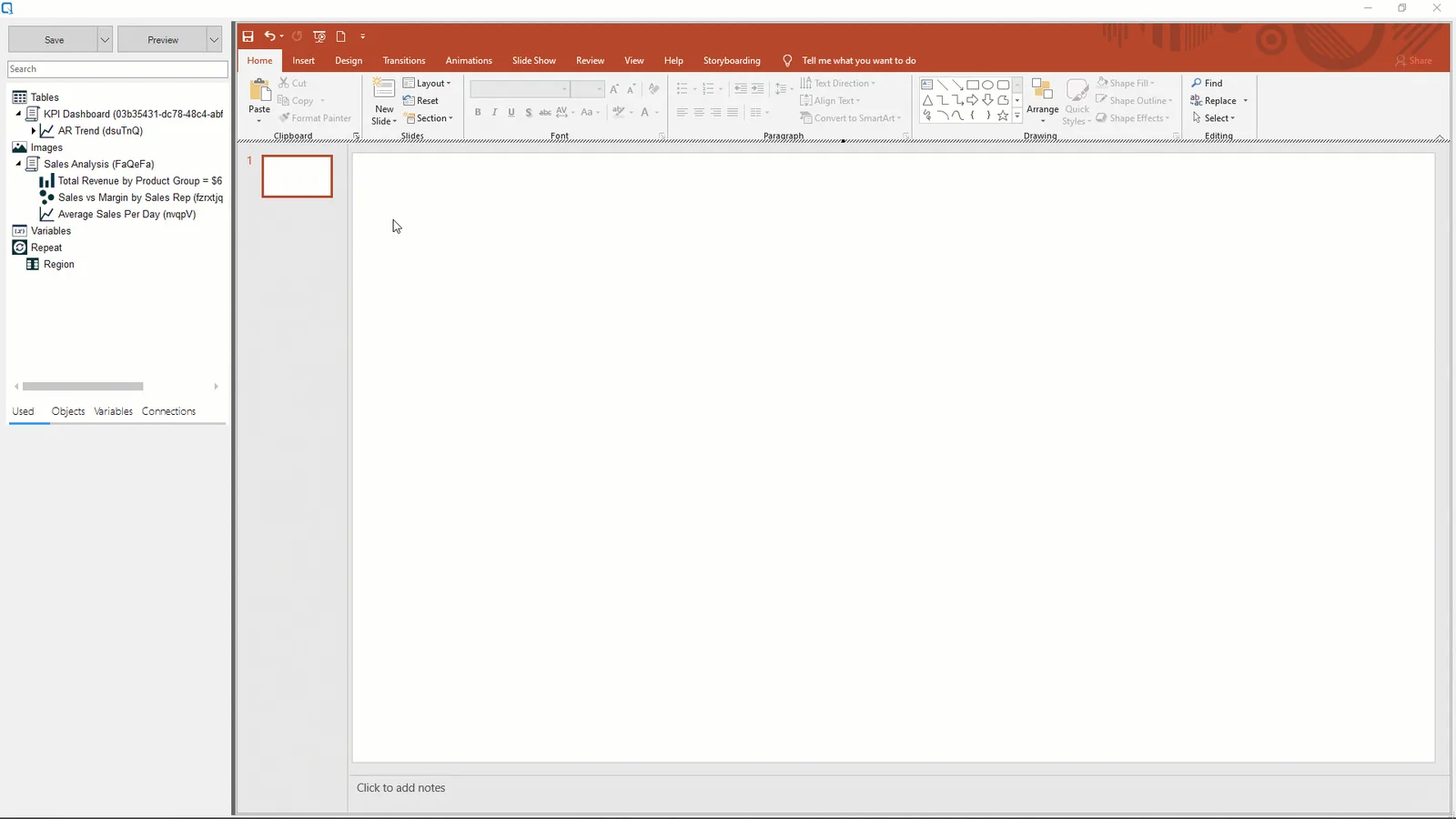
Qalyptus lets you quickly identify the objects (sheets, tables, graphs, variables, etc.) of your Qlik Sense or QlikView applications. The objects are grouped by sheet and displayed with an icon corresponding to their type, to facilitate their use.
- Qalyptus supports the use of Qlik Sense master items.
- You can create charts for reporting purposes only, without using them in Qlik Sense sheets.
- All this lets you focus on the design of your template, in a powerful and easy-to-use interface.
What you get with Qalyptus
You first
- All our choices are based only on your needs.
- We offer you exciting features compared to NPrinting. Qalyptus is our main product. Qlik’s main product is Qlik Sense, not NPrinting.
- Qalyptus On-Demand supports three authentication methods: Windows authentication, email/password, and SSO with SAML.
- Qalyptus fully supports all third-party extensions, like Vizlib.
A single access point
- Qalyptus Hub lets users access their Qlik Sense apps, reports, external resources and subscriptions in one place.
- Your Qlik Sense applications can be synchronized to Qalyptus Hub and organized in folders and subfolders, without level limits.
- Users open a Qlik Sense application as they usually do in the Qlik Sense Hub, or open an app as a mashup.
- Want Qalyptus to use your design? Change the Qalyptus themes with your company’s design: logo and colors.
Simple and integrated administration
- Qalyptus is created for users, but also for administrators.
- All administration and configuration features are integrated and do not require external programs. You do everything in the Qalyptus interface.
- Schedule your backups and make your restorations in one click.
- Installation of Qlik Sense certificates is part of the Qalyptus installation process. Add your third-party SSL certificate with one click.
Works with Qlik Sense SaaS
The Qalyptus solutions comprise Qalyptus Desktop and Qalyptus Server for Qlik Sense Client-Managed (on-premise), and Qalyptus Cloud for Qlik Sense SaaS. Qalyptus Cloud is a 100% cloud solution that doesn’t need any installation, and it is fully hosted by Qalyptus.
Qalyptus is compatible with all Qlik Sense configurations. If you are migrating from Qlik Sense Client-Managed to Qlik Sense SaaS, or the other way round, you can seamlessly migrate your reports from Qalyptus on-premises to Qalyptus Cloud.
Learn more about Qalyptus Cloud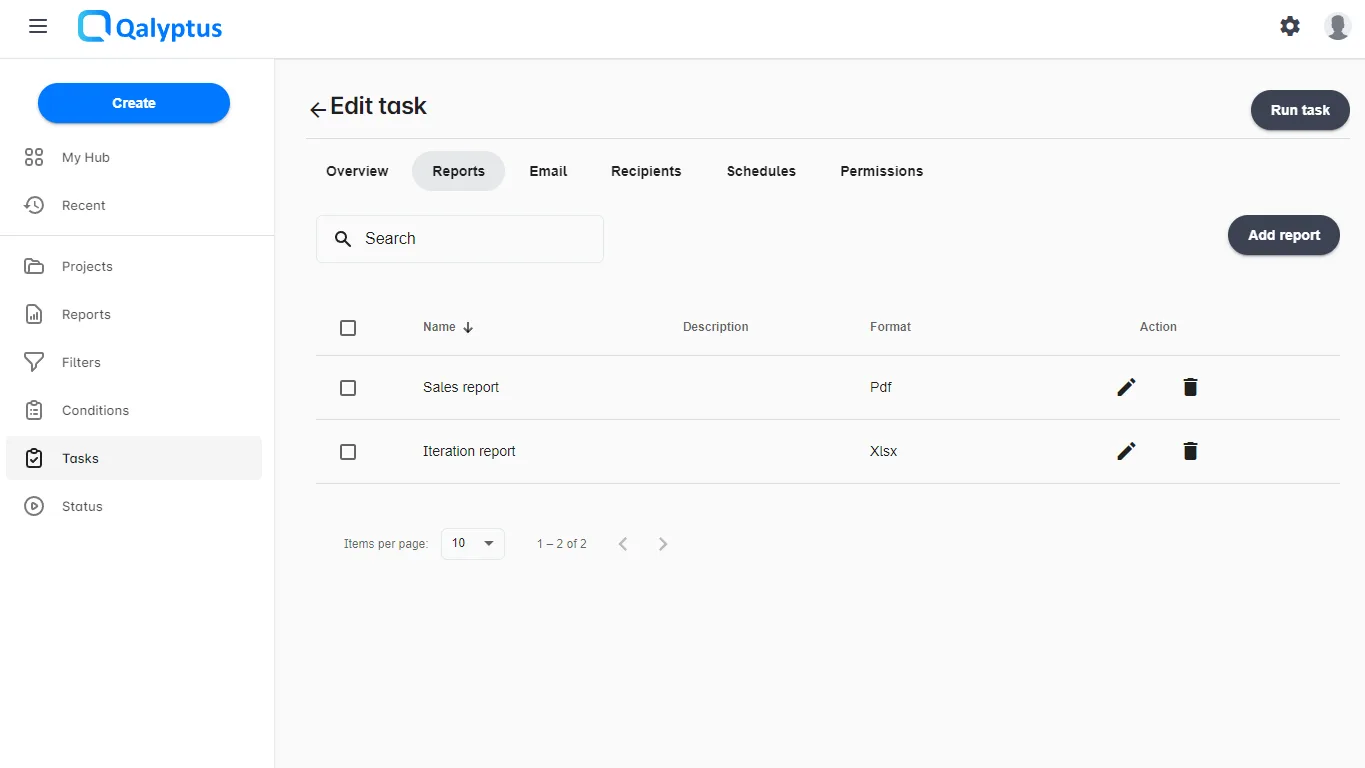
10 Ways Qalyptus outperforms NPrinting
Get the complete Qalyptus vs NPrinting comparison guide to find out more. By email, in a few minutes.
Download your guide now
First name, last name and email. That is all we need.
See the difference on your own data
Try the full version of Qalyptus, free for 30 days. No feature limits, no credit card.